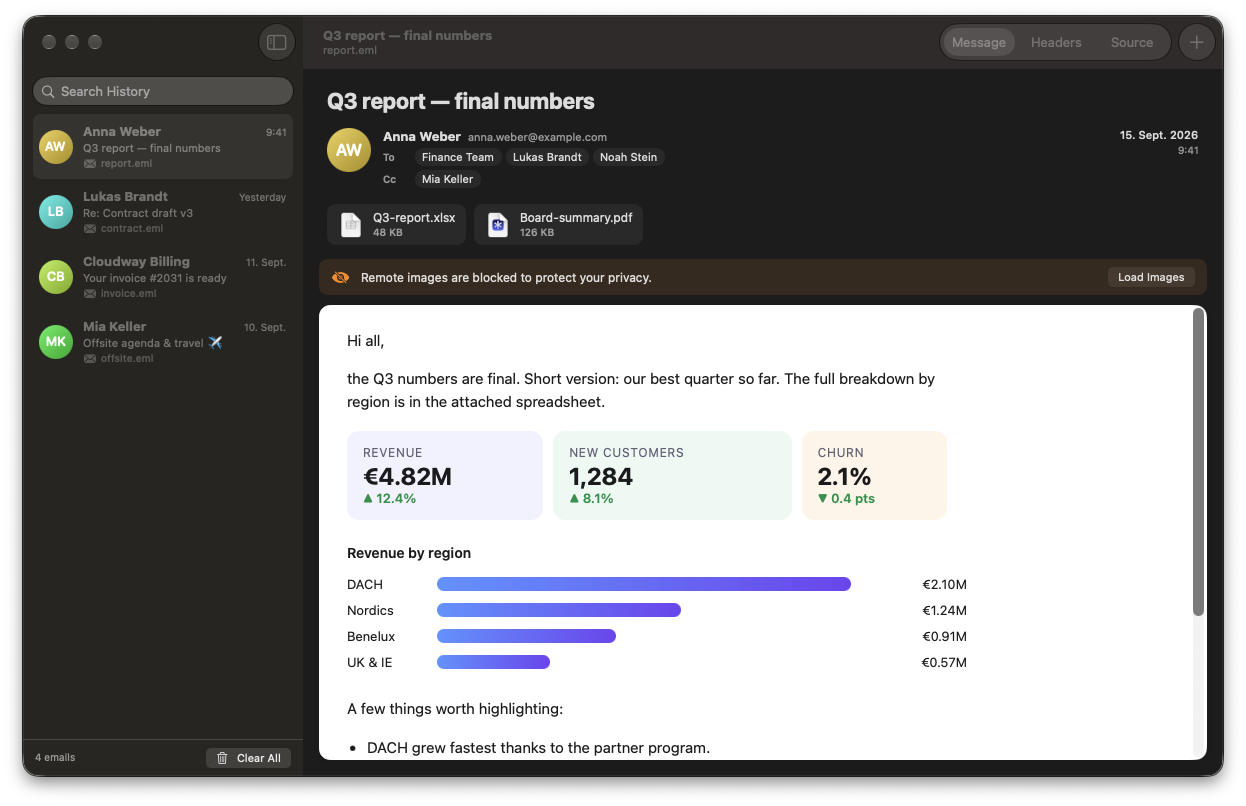
Everything you need to read a mail file. Nothing you don't.
No accounts, no sync, no inbox. Peek Mail does one thing: show you what's inside an exported email, beautifully and safely.
.eml and Outlook .msg
Opens both formats natively, including HTML mails with inline images, plain text, and attached emails.
Drop, double-click, done
Drag files onto the window or Dock icon, press ⌘O, or open them straight from Finder, even several at once.
History sidebar
Every mail you open is kept with sender, subject and date, and it's searchable. Opening the same file again jumps back to its entry.
Clickable addresses
Click any sender or recipient to reveal the real address, copy it, or start a new email.
Attachments
See every attachment with its icon and size. Open it with a click or save it anywhere.
Headers & source
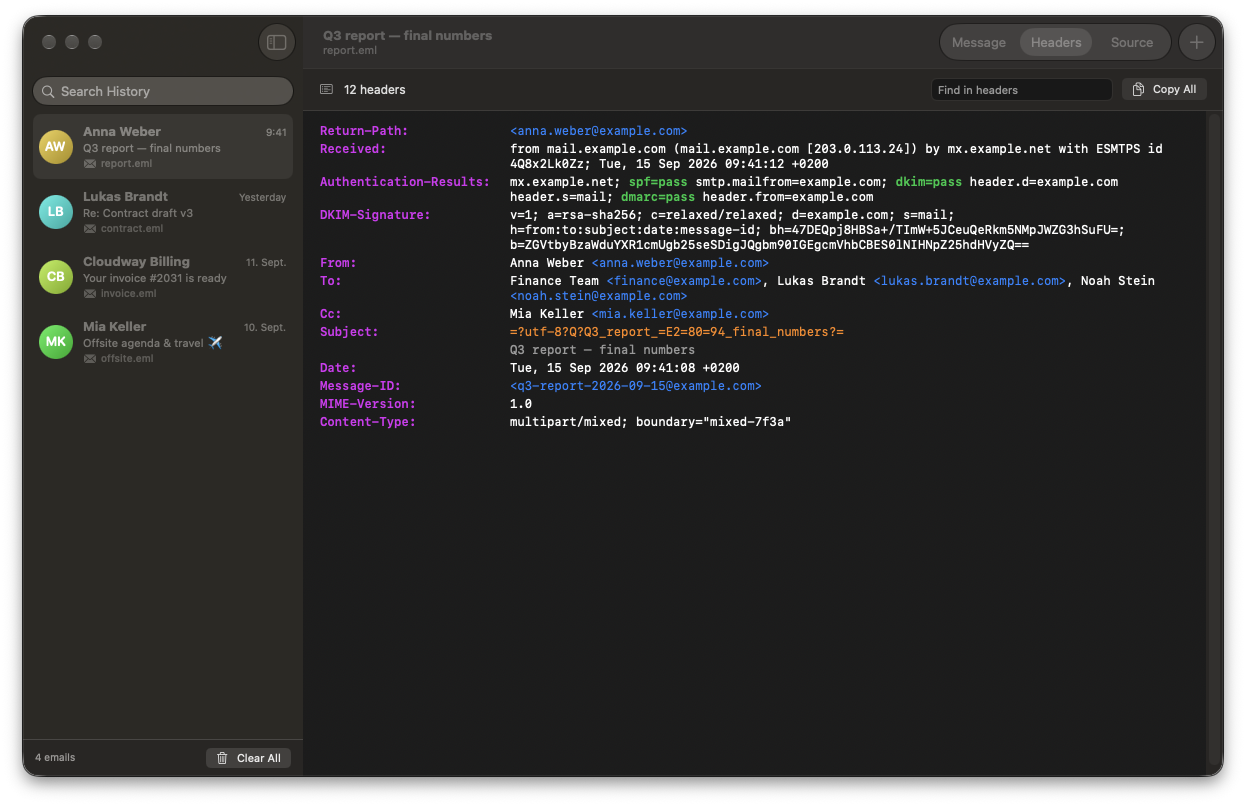
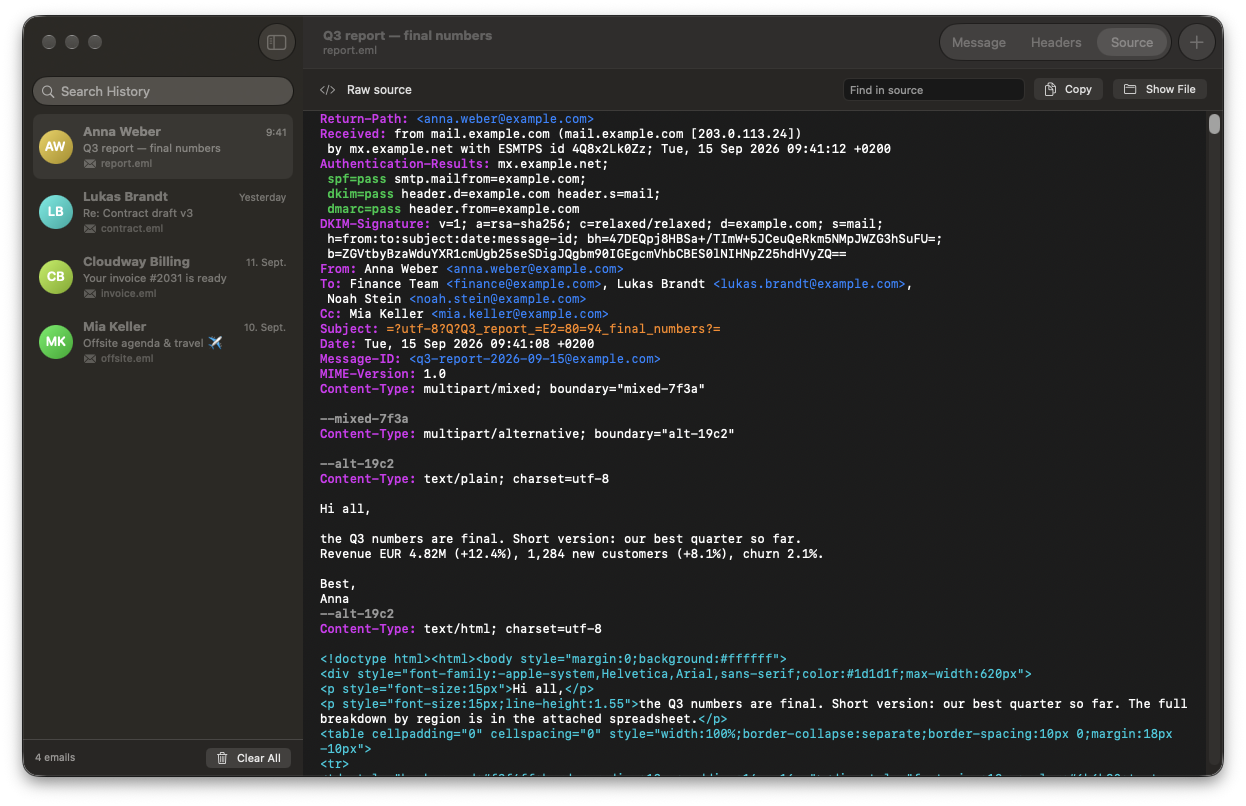
Inspect every header and the raw source with syntax highlighting and search. Made for debugging deliverability.
See what really happened to a mail.
Switch to Headers or Source to check SPF, DKIM and DMARC results, follow the Received chain, or find exactly where a MIME part breaks.
- Highlighted authentication results: pass in green, fail in red
- Decoded values for
=?utf-8?B?…?=encoded headers - Search with match navigation and ⌘F
- MIME boundaries stand out, base64 payloads fade into the background
Your mail stays on your Mac.
Exported emails often contain things that matter, and sometimes things that bite. Peek Mail is built to show them without leaking or running anything.
Remote images blocked
Tracking pixels, remote images, stylesheets and fonts don't load until you click Load Images for that message.
Mails can't do anything
JavaScript is disabled, and mails can't navigate, submit forms, or open local files and apps. Only web and email links open, in your browser or mail app.
Careful with attachments
Opened attachments are marked as downloaded so Gatekeeper checks them, and programs or scripts ask before they open.
Get Peek Mail.
A universal app for Apple Silicon and Intel Macs, signed with a Developer ID and notarized by Apple. Requires macOS 14 Sonoma or later.
Download
Get PeekMail.dmg from the latest release on GitHub.
Install
Open the disk image and drag Peek Mail into your Applications folder.
Open a mail
Drop an .eml or .msg file on the window, or use Open With → Peek Mail in Finder.
Tip: to make Peek Mail the default for .eml, right-click an email file → Get Info → Open with: Peek Mail → Change All…
Prefer to build it yourself?
Peek Mail has zero dependencies. Swift from Xcode or the Command Line Tools (xcode-select --install) is all you need.
# Clone, build and install to /Applications
git clone https://github.com/jappi00/peek-mail.git
cd peek-mail
./build.sh --install

Peek into your mail files.
Free, open source, and made for macOS.